iPhone + Apple Watch
Running, simplified.
Four 12-week plans, from the 5K to the marathon, built around one idea: slow builds the base.
 The 5K plan is free.
The name
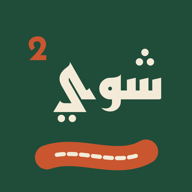
شوي شوي
Slowly, slowly.
شوي شوي is Levantine Arabic for “slowly, slowly.”
Say it: shway shway, rhymes with “way.”
How it works
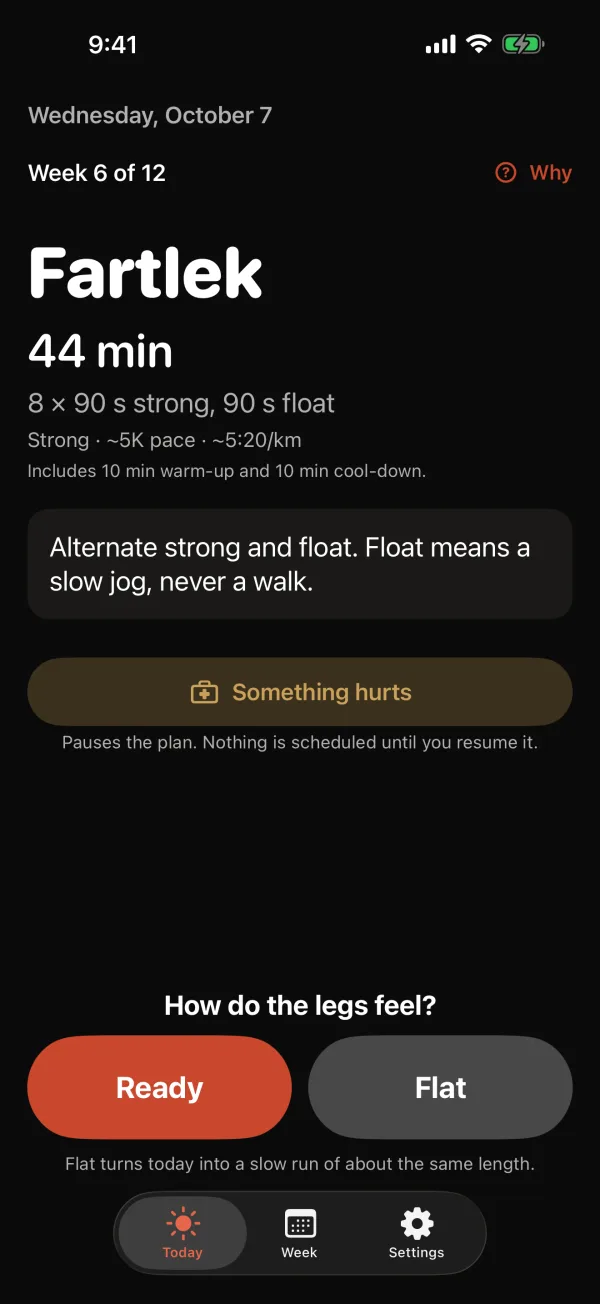
One plan. One screen that matters.
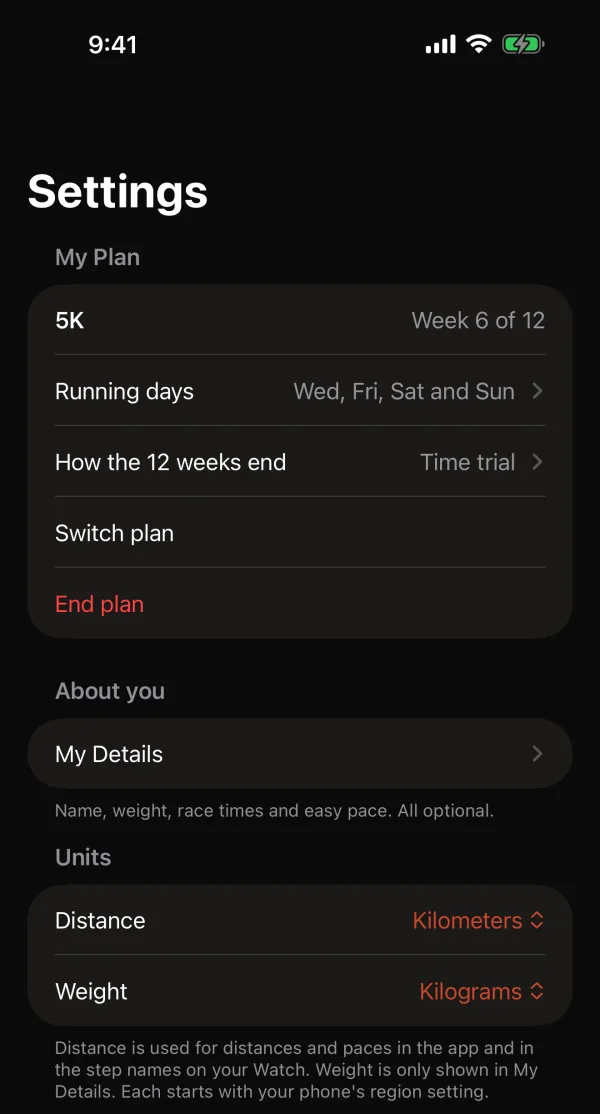
- Pick a plan and your running days. Choose your distance and the days you can run. The app builds your 12 weeks around them.
- Send it to your Watch, or run with your iPhone. Today shows what to run and why. Send the session to your Apple Watch, or tap Start run on iPhone (iOS 26 or later).
- Run it. On your Watch, Apple's Workout app handles GPS, metrics and logging. On iPhone, Shway Shway coaches you by voice and records the run.
- It's marked Done. The app reads your finished run from Apple Health and ticks the day off. A slow run counts the same as a hard one.
A plan that adapts
You don't chase the plan. It follows you.
- Ready or Flat. Before a hard day, tap one. Flat turns the session into a slow run of about the same length. No questions asked.
- Missed runs are never chased. A missed day is gone, and the plan carries on from today.
- Something hurts. One tap pauses the plan. Nothing is scheduled until you resume it, and the app suggests seeing a professional.
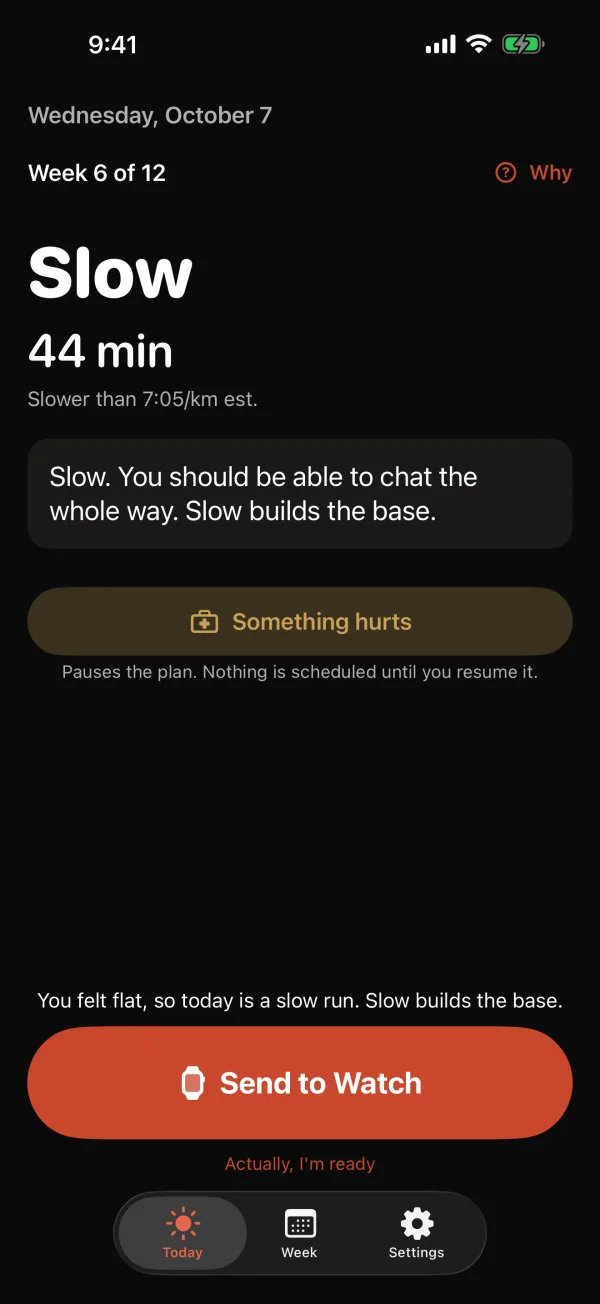
Your week
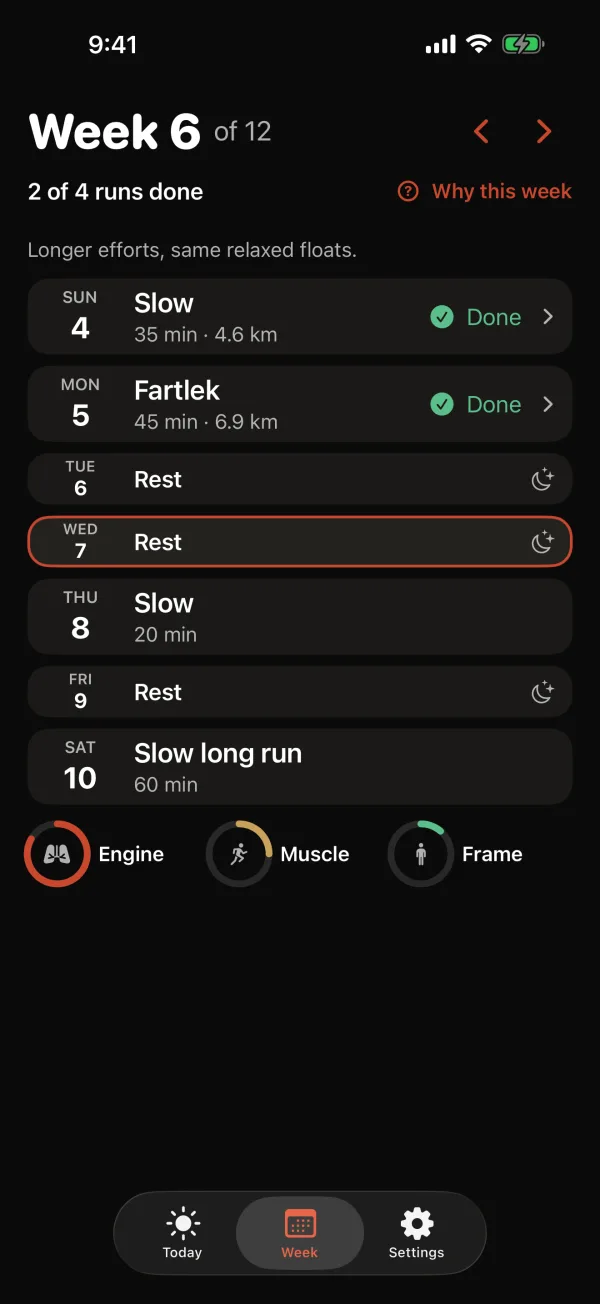
Four principles shape every week.
- Space out the hard days. Two hard days a week at most, never back to back.
- Your long run comes first. One long run a week: an easy day or rest before it, and a full rest day after.
- Effort over pace. You run by feel. Pace is only a guide.
- Lighter recovery weeks. Some weeks are shorter on purpose. That's when you get stronger.
Tap a session to move it within the week. If the move would break a principle, the app says why and suggests the nearest day that works.
Share your week. Send your plan to family as a picture, with a calendar file so they know when your long run is.
Three rings show that your body adapts at different speeds: Engine (heart and lungs, in weeks), Muscle (in months) and Frame (bones and tendons, over a year or more). No streaks, no badges.
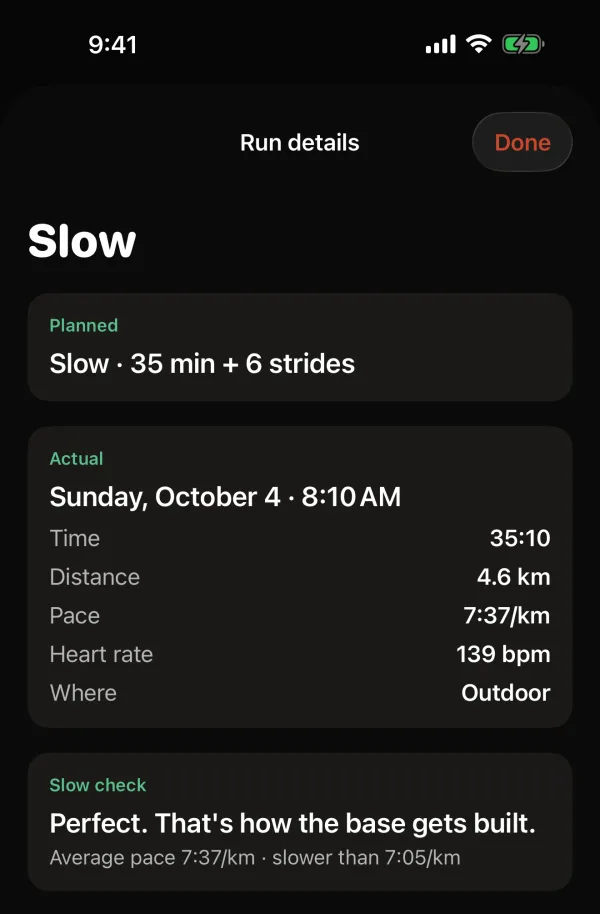
Slow, and checked
Most running should be slow.
Easy runs say “Slow” in big type, and long runs say “Slow long run.” Slow running builds the base that everything else stands on.
- A pace ceiling, not a target. Add a race time in Settings → Your effort and the app shows a pace to stay slower than.
- An after-run check. After a slow run it compares your pace, or your heart rate if you set a cap. Slow enough: “Perfect. That's how the base gets built.”
- A gentle nudge, at most once a week if an easy day ran a bit quick.
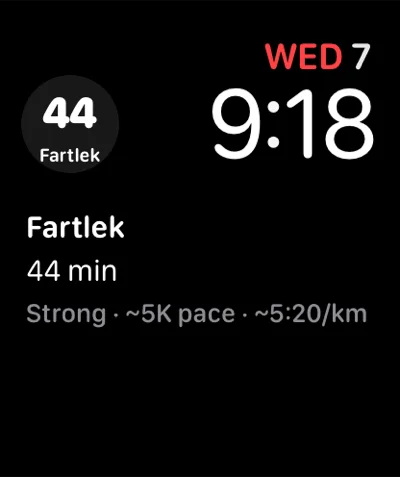
On your wrist
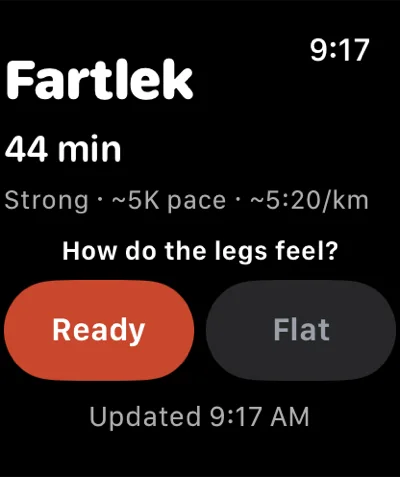
Today, on your Apple Watch.
The Shway Shway Watch app shows today's session, asks Ready or Flat, and hands you straight to the Workout app to start.
Complications put today's session on your watch face, so you can see it at a glance.
No Watch? On iOS 26 or later, tap Start run and your iPhone coaches you by voice: spoken steps, time check-ins (“Steady. 10 minutes left.”), a rep count on hills and fartlek, and a gentle “شوي شوي… Ease off.” when an easy run gets too fast. Time, distance and pace are on screen. It works with the phone locked and your music playing, outdoors or indoors.
Plans and pricing
Start free. Unlock the rest once.
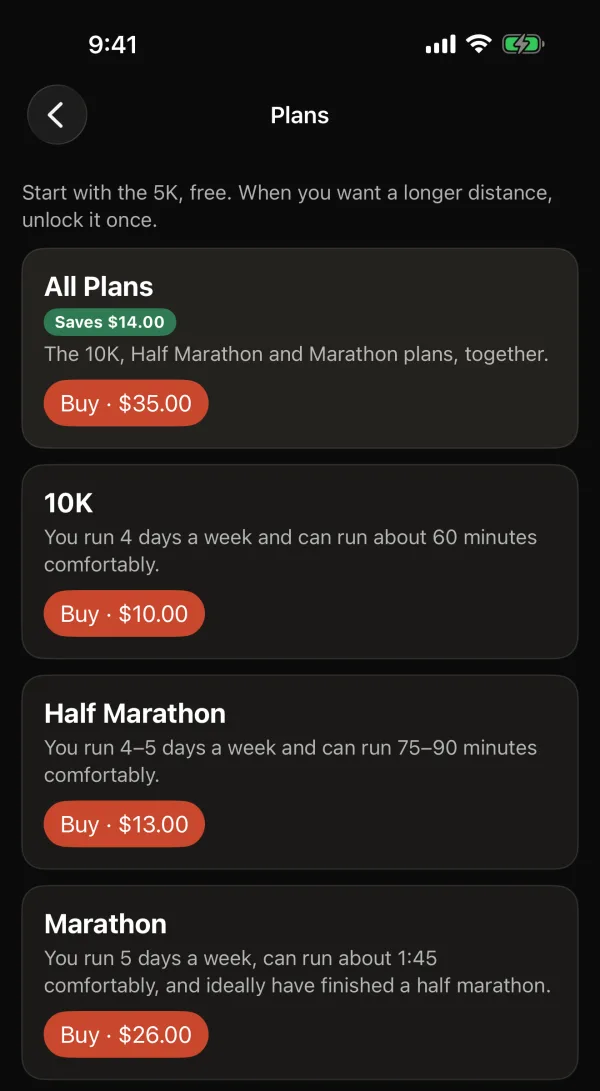
Four 12-week plans. Every purchase is a one-time payment: no subscription. Owning a plan includes every future cycle of it.
5K
3 running days a week
You can run 30 minutes without stopping, 3 days a week.
10K
4 running days a week
You run 4 days a week and can run about 60 minutes comfortably.
Half Marathon
4 running days a week
You run 4–5 days a week and can run 75–90 minutes comfortably.
Marathon
5 running days a week
You run 5 days a week, can run about 1:45 comfortably, and ideally have finished a half marathon.
All Plans
Unlocks three plans
The 10K, Half Marathon and Marathon plans together.
Prices are in US dollars. The App Store shows your local price.
Shway Shway شوي شوي
Start with the free 5K plan and let the base build.